NetPlottr Map your infrastructure. Own your data.
Draw network and infrastructure diagrams fully locally in your browser. No cloud logins, no latency, no tracking. Your diagrams stay on your own device.

Why NetPlottr?
One extension to map your entire infrastructure. No account, no cloud.
Local-first
Your diagram data is stored nowhere but your own device's memory. Nothing goes to a server.
Works offline
After installation no internet connection is needed. Instant load, instant drawing.
No account
No signup, no telemetry, no tracking. Install and start drawing.
Component library
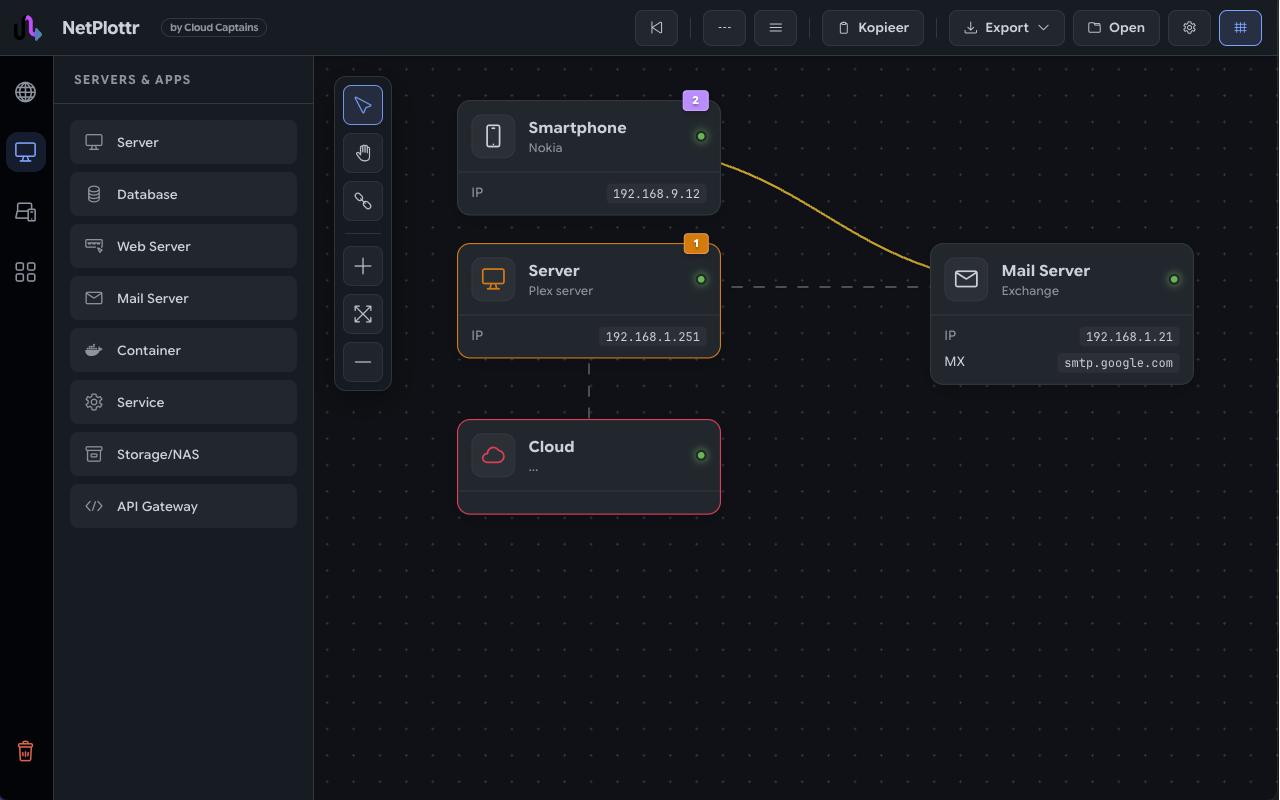
Pre-built building blocks: servers, databases, web servers, mail servers, containers, services, storage and API gateways.
Properties per component
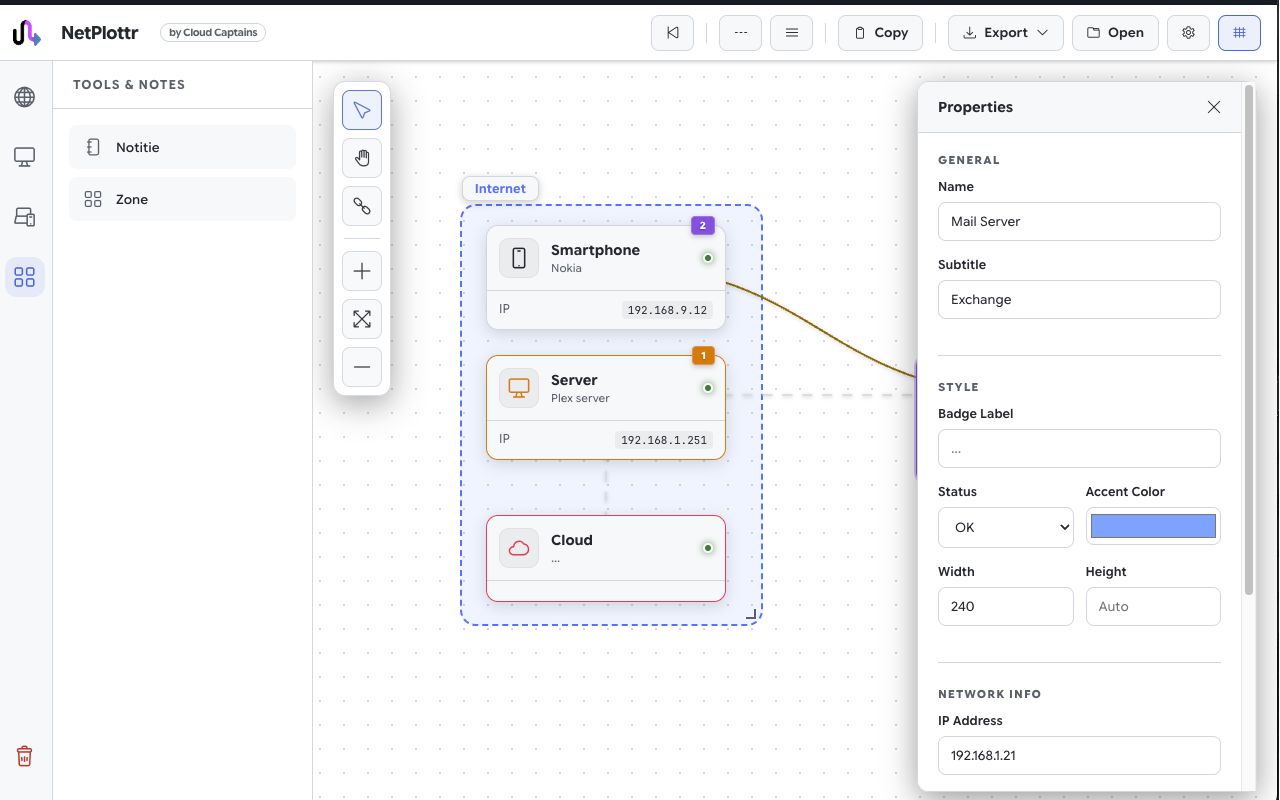
Give every element a name, badge, status color and network details such as an IP address or MX record.
Zones and notes
Group components into zones like internet or DMZ and add notes for context.
Themes and languages
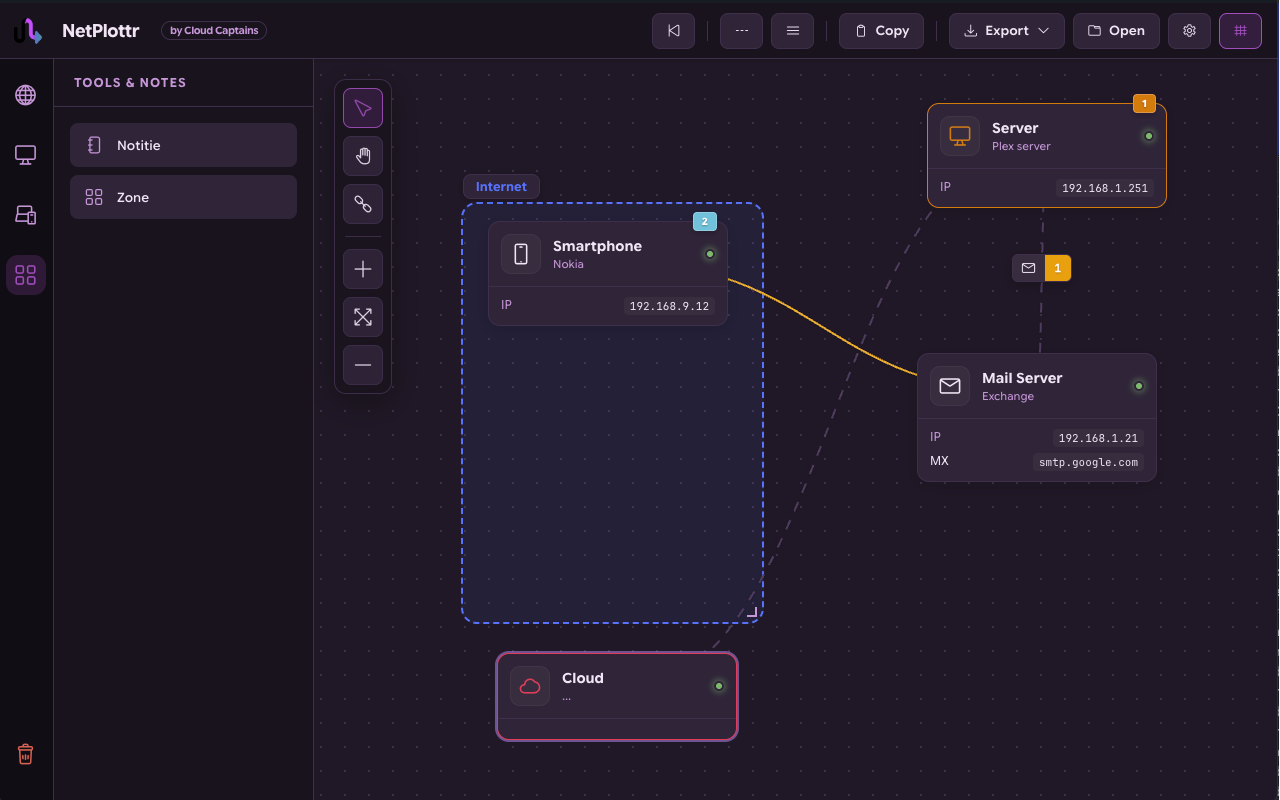
Light, dark and colored canvas themes. The interface is available in multiple languages, including English and Dutch.
Keyboard shortcuts
Work fast with Ctrl+Z for undo, Shift+click for multi-select, Del to remove and Space+drag to navigate.
How it works
From blank canvas to presentable diagram in three steps.
1. Drag, Drop, Done
Drag pre-built icons onto the canvas. Smart alignment and multi-select keep everything tidy.
2. Smart Linking
Connections auto-route with clean curves. Add protocol badges and traffic flow animations that bring your diagram to life.
3. Export & Present
Export as PNG with a transparent or themed background, or copy your diagram straight to the clipboard.
A glance inside NetPlottr
Clean canvas, smart connections, fully customizable.
Who is it for?
DevOps engineers
Visualize K8s clusters, VPC peering and full environments without leaking sensitive infrastructure data to a cloud service.
Solution architects
Professional diagrams for presentations, proposals and documentation, ready in minutes instead of hours.
Students and teachers
Learn and teach networking concepts with a tool that works instantly, anywhere, without installing heavy software.
Up and running in one minute
Open the Chrome Web Store
Click the install button on this page to go straight to the NetPlottr page in the Web Store.
Add to Chrome
Click "Add to Chrome" and confirm. The extension is ready to use seconds later.
Pin and draw
Pin NetPlottr via the puzzle icon in the top-right and start your first diagram right away.
Documentation and guide
Want to learn drawing network diagrams with NetPlottr step by step? Our docs environment contains a full guide with eleven articles.
Frequently Asked Questions
Is NetPlottr free?
Where is my diagram data stored?
Does NetPlottr work offline?
Which components are available?
Can I import existing Visio or Draw.io files?
How do I save my work for later?
Which keyboard shortcuts are available?
How do I share my diagram with others?
In which languages is NetPlottr available?
Where do I find a guide?
Questions or feedback?
Found a bug or have an idea for a new feature? We'd love to hear from you via the contact form.

