Mbox Viewer View your .mbox email archives instantly and securely
A 100% private, client-side tool to read .mbox files from Google Takeout or other backups. All processing happens in your browser: your data never, ever leaves your computer.

A full-featured email toolbox
Everything you need to manage your email archives, built with privacy as the priority.
Privacy first
Your files are never uploaded. All processing happens locally in your browser, with storage only in IndexedDB on your own device.
Dual-Mode Engine
Switches intelligently between RAM mode for speed and database mode for archives over 1GB. Roughly a million emails every five minutes.
Powerful search and filters
Search your archive by sender, subject and date. Filter by attachments, source file or date range and find any email in seconds.
Export options
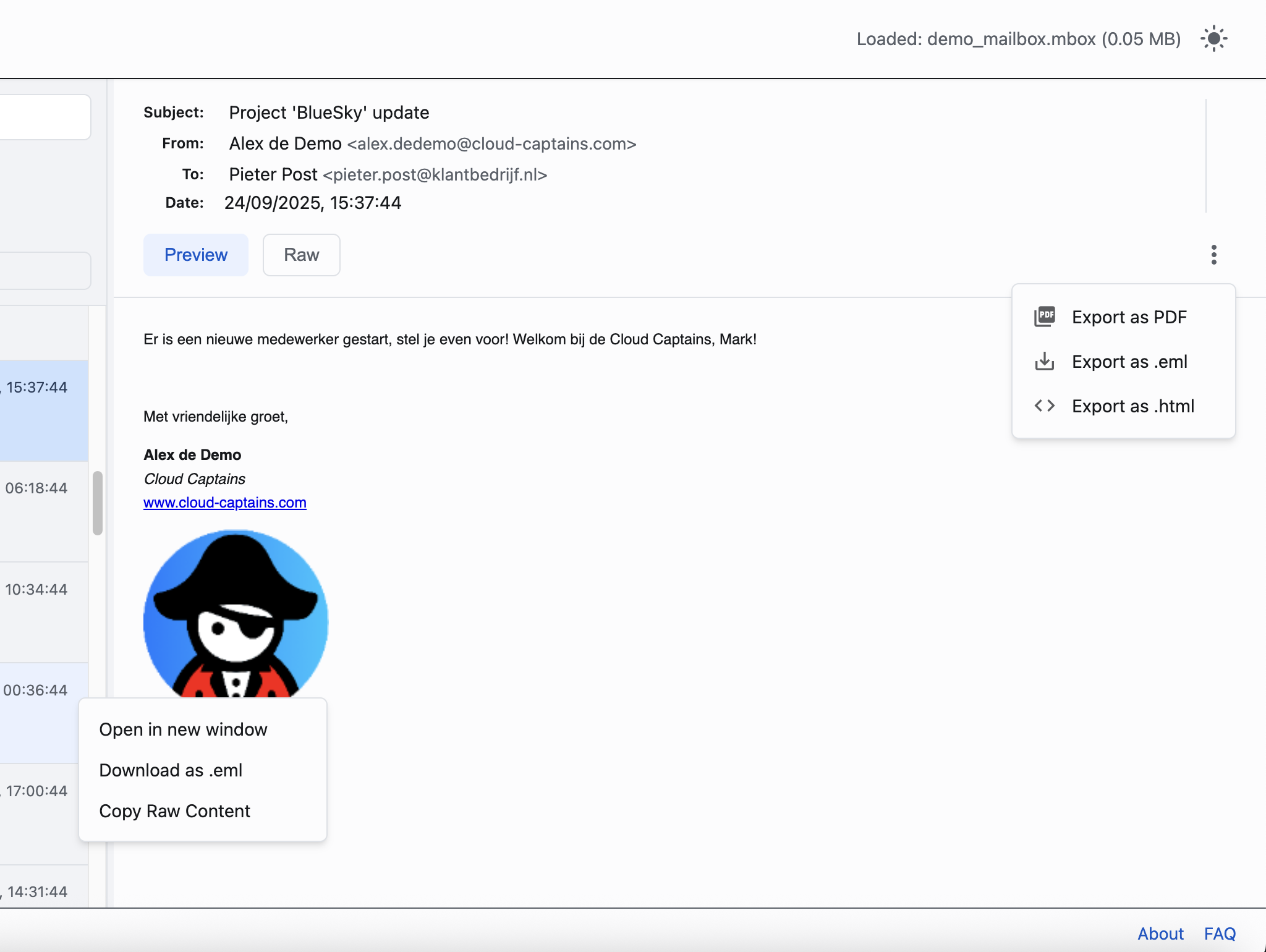
Export emails as .eml, .html or .pdf. Manage attachments safely from within the viewer.
Security insights
Inspect SPF, DKIM and DMARC status per email to judge the authenticity of messages.
Raw source view
Switch to the full message source with all headers, ideal for technical analysis.
Read-only
Your original files are never modified. Load multiple files or entire folders at once.
Usable anywhere
Light and dark theme, optimized for Chromebooks and also works without an internet connection.
Simple, powerful, visual
From backup file to searchable archive in three steps.
1. Launch and Load
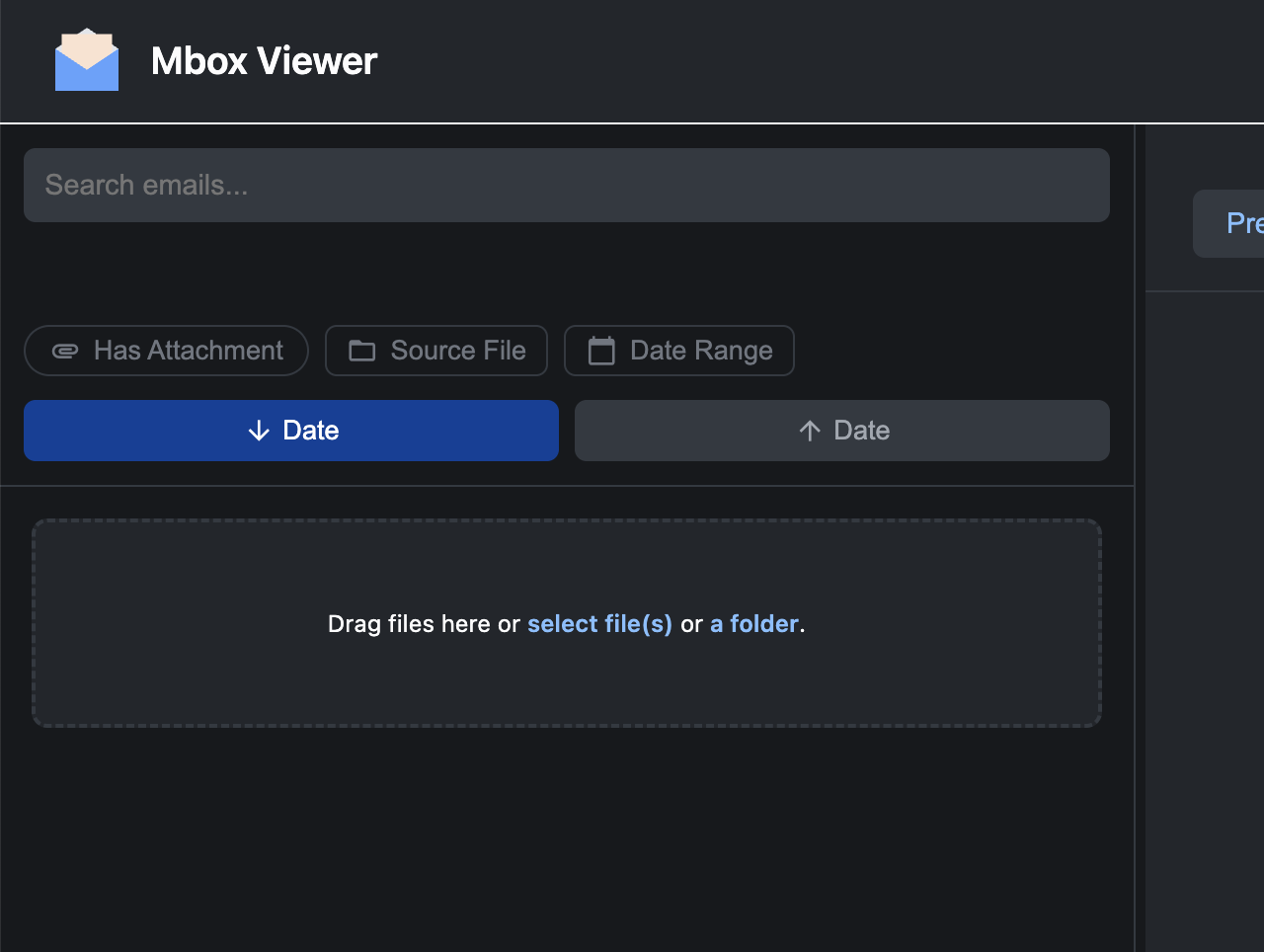
Drag your .mbox files or entire folders into the viewer, or pick them via the file selector. Nothing is uploaded.
2. Browse and Search
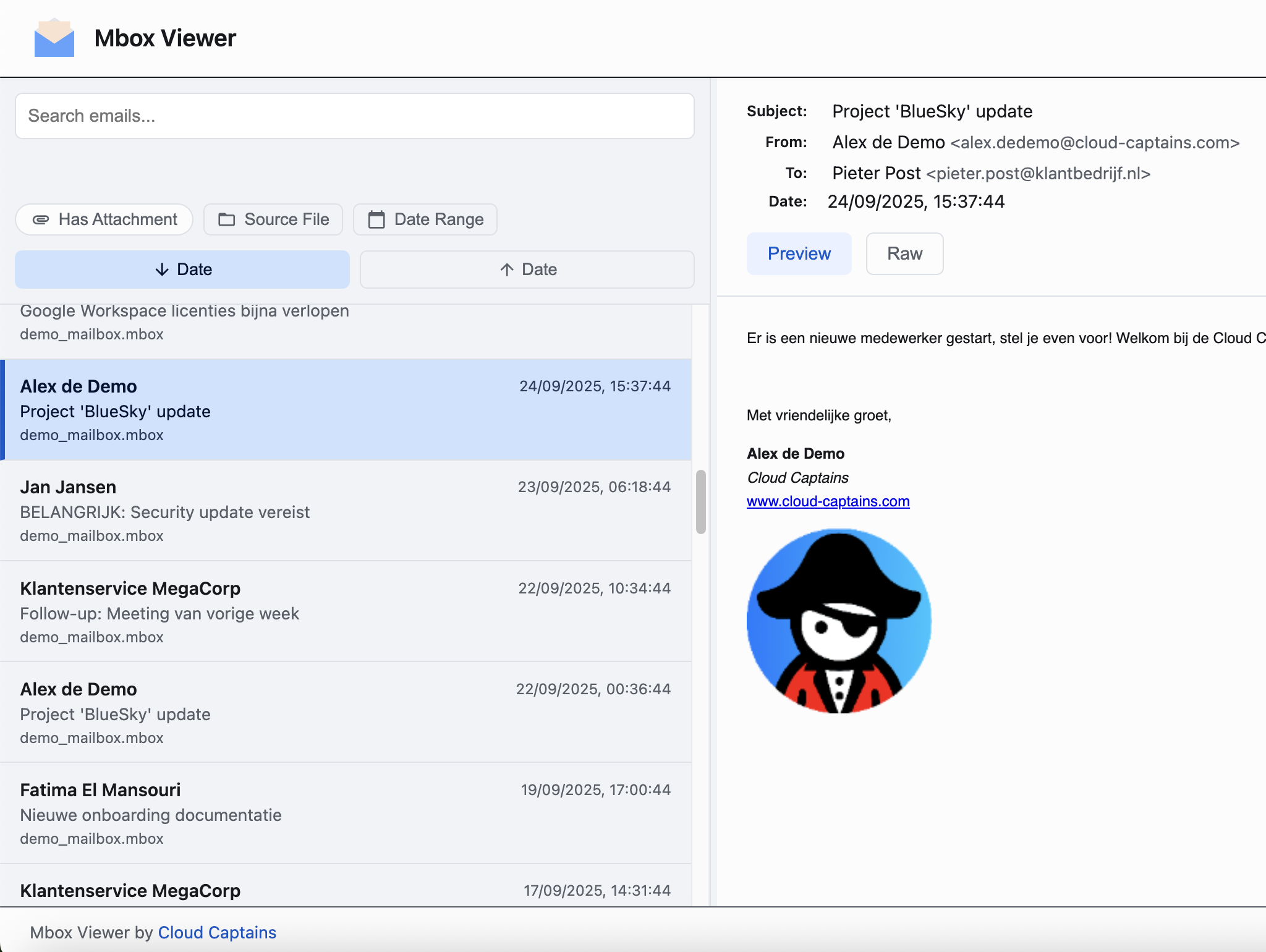
Browse your archive in a clean list with a reading pane and search everything with the powerful search function.
3. Filter, View, Export
Filter by sender, attachments or date, view emails safely and export as .eml, .html or .pdf.
A glance inside Mbox Viewer
Clean interface, powerful filters, safe preview.
Formats and platforms
Built on the mbox standard, broadly usable.
Supported formats
Standard .mbox files (RFC 4155): Google Takeout exports and archives from Thunderbird, Apple Mail and Eudora.
Not supported
Outlook .pst files are a closed format and cannot be opened.
Platforms
Windows, macOS, Linux and ChromeOS, in Chrome and other modern browsers. Limited support on iOS and Android.
Limits
Archives up to 25GB, depending on your RAM and CPU. No hard limit on the number of emails.
Up and running in one minute
Open the Chrome Web Store
Click the install button on this page to go straight to the Mbox Viewer page in the Web Store.
Add to Chrome
Click "Add to Chrome" and confirm. The extension is ready to use seconds later.
Drop your archive in
Open the viewer and drag your .mbox file or entire folder into the dropzone. Instantly searchable.
Documentation and knowledge base
Our docs environment contains a step-by-step guide plus an extensive knowledge base about mbox, eml and Gmail archives.
Frequently Asked Questions
Is Mbox Viewer free?
Where does my data go?
Which files can I open?
Can I open Outlook .pst files?
How do I open my Gmail archive from Google Takeout?
How large can my archives be?
Does the viewer modify my original files?
Can I load multiple files or folders at once?
How do I export an email?
Which devices does it work on?
Questions or feedback?
Found a bug or have an idea for a new feature? We'd love to hear from you via the contact form.

